Provide an idea
Start with a text description or a suitable reference image that communicates the object, shape, materials, or visual direction you want.
Plain-English guide
What is Trellis AI? It is an AI-powered 3D creation system that turns written descriptions or visual references into editable three-dimensional content for concepting, design, and digital production.

The short version comes first: these are the core facts the rest of this guide explains.
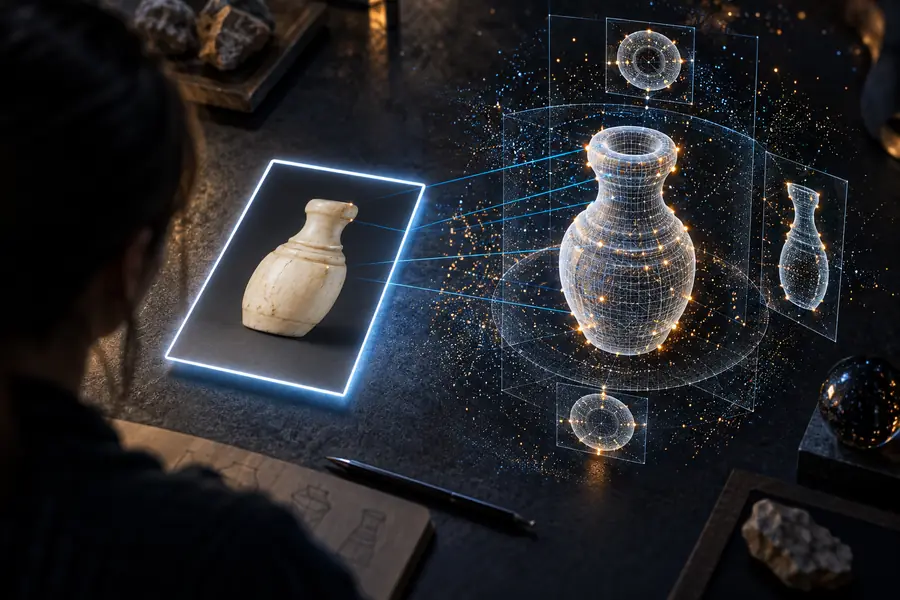
Its workflow can be understood as a short chain: describe or show an object, let the system infer its form, then inspect and refine the result.
Start with a text description or a suitable reference image that communicates the object, shape, materials, or visual direction you want.
The system interprets the input and produces a three-dimensional result rather than only a flat image.
Inspect proportions, topology, surface detail, and usability, then revise the input or continue the asset in a 3D application.
Good inputs make the output easier to judge. These prerequisites are practical rather than technical requirements for understanding the workflow.
The input should show the subject and its main form.
Decide whether it is for exploration, presentation, prototyping, or production.
Use a compatible viewer or 3D application to check the result.
Generative output normally needs review and cleanup.
Helpful when appearance matters as much as shape.
The important distinction is between an initial generated concept and a finished asset ready for a specific pipeline.

Generation creates a useful starting point; final cleanup depends on the intended use.
Choosing the right expectation prevents disappointment and makes the tool more useful in practice.
1
Turn a rough idea into a visible 3D direction before investing in manual modeling.
It helps compare forms and communicate concepts quickly.
2
Use modeling, sculpting, retopology, UV, and texture tools when exact control is required.
Generated geometry may need correction before it meets production standards.
3
Generate a base concept, then edit and optimize it with an artist-controlled pipeline.
This combines speed during ideation with precision during finishing.
Trellis AI reflects a broader shift from manually building every first draft to combining generative systems with human-directed 3D work.
Artists typically built an early 3D concept directly in modeling or sculpting software, even when the idea was still uncertain.
Newer AI systems made it more realistic to use written descriptions and visual references as starting points for 3D generation.
Trellis AI fits a workflow where the system proposes a 3D result and a person decides what to keep, change, or rebuild.
The strongest use is often rapid ideation followed by human review, cleanup, and adaptation for the final destination.
Trellis AI is most useful for people who need to see and compare 3D ideas before committing to a long manual build.
Use generated forms to explore silhouettes, props, creatures, environments, and visual directions during the earliest stage of a project.
Use it as a starting point for blockouts and references, while retaining control over the modeling decisions that matter later.
Create quick shape studies for interactive worlds, characters, objects, and scene planning before production assets are made.
Use prompt-led 3D experiments to make form, iteration, and digital asset workflows easier to demonstrate.
Use Trellis AI when you want to move from a written idea or visual reference to something you can inspect, discuss, and refine. Treat the first result as a creative draft, then apply human judgment where accuracy and polish matter.
These answers address the core question behind the search and the most useful follow-ups about the technology.
Trellis AI is an AI-assisted 3D creation system that can interpret text descriptions or visual references and produce a three-dimensional result. It is best understood as a way to accelerate ideation and asset starting points, not as a replacement for every stage of 3D production.
It can refer to the underlying generative technology as well as the surrounding experience that lets people create and inspect 3D content. In practical use, it is part of a workflow: provide an input, review the generated result, and refine it for the intended purpose.
It can help produce 3D representations of described or referenced objects and forms. The exact quality and usefulness depend on the input, the subject, and how much cleanup or editing the final project requires.
Concept artists, 3D designers, game teams, educators, and curious creators can use it to explore ideas faster. It is especially valuable when seeing several possible forms is more important than having perfect geometry on the first attempt.